How To Break Up With Your Phone- week 2

I’m currently following the How To Break Up With Your Phone plan as featured in the book (of the same title) by Catherine Price. Last week, I talked about how and why I hate using my phone so much and kicked off the first week of the plan. You can read about it HERENow it’s week 2 and here’s what I had to do every day this week.

Week Two- Changing Your Habits

Day 8- say “no” to notifications

Today, I’m instructed to turn off all notifications on my phone. Catherine references the Russian physiologist Ivan Pavlov who managed to condition dogs to salivate every time they heard a bell. He did this by giving them a treat every time they heard the bell and the dopamine in their brains caused them to salivate every time they heard the bell. Catherine suggests that our brains reaction to notifications is similar to that of Pavlov’s dogs and I agree with her. Luckily, as I mentioned last week, I have most of my notifications turned off anyway. I only had to turn off my email notification. I decided to leave notifications on for both my phone and text messages (I don’t get many texts anyway). I also decided to leave on my Parentmail notifications as it is good to know I’d be alerted immediately if there is anything I need to know in regards to my daughter’s school, especially in the case of emergencies. Everything else, I ensured was off.

Day 9- the life changing magic of tidying apps

Today, I’m going to tidy all of my apps up into specific folders. The idea of this is to slow down my app usage. It gives me a chance to briefly question how essential my usage of it is. The other reason, is that if you don’t clearing see your little app icons, you are also less tempted to use them and scroll through them. There should be at the most six folder categories that our apps can come under. They are:

  • Tools: apps that improve your life without stealing your attention i.e. maps, camera, weather, music, actual phone. These are the only apps allowed to stay on your homepage as they serve a practical purpose without being tempting. It s a judgement call as to whether we leave our internet browser on the home page (I won’t be for now).
  • Junk food apps: fun or useful apps to use for a short amount of time, but are hard to stop using once you start. I had to ask myself do these apps steal my attention more than they steal it? If an app’s risks outweigh its benefits, then I have to delete it. Examples are social media, news apps, shopping apps, messaging apps, email, games, internet browser
  • Slot Machine apps: these are apps that don’t improve your life AND steal your attention. And the message here is delete them. Examples are social media, shopping apps, games, dating apps (so you might have certain social media apps in the Junk Food folder and some in this folder. Depending on how they personally effect your life.
  • Clutter: apps that you never use. They don’t steal your attention, but they don’t improve your life either. I can either delete them or hide them all in a folder and hide the folder on the third page of my phone.
  • Utility apps: apps that serve some practical purpose, but improve your daily life enough to define as a full-time tool. Examples are Find iPhone, the App store.
  • The Undeletables: annoying apps that can’t be deleted. Put them in a folder and leave on your third page.

Catherine also suggests that if you find your phone too tempting after doing this then to turn it to “greyscale”. You can do this in your settings. It turns everything grey, which then makes your phone less appealing to use. I did this last year and whilst it did effect my usage at first, I actually quickly got used to it and carried on using it as I did before, so I didn’t bother doing it again.

I also, need to edit my menu bar. Email needs to be removed from it and perhaps replace less tempting apps with tool apps.

At the end of doing all this, I was left with a homepage with my life-improving apps, on my second screen were my junk food apps (there were a lot of these and I still haven’t re-added Facebook, Twitter and Instagram that I deleted last week) and on my third page were my occasionally used utility apps in one folder and my undeletables and clutter in another folder. This is what my home page now looks like. I wish I’d taken a “before” photo, but it was full of social media, IMDb, Wikipedia, Amazon and eBay.
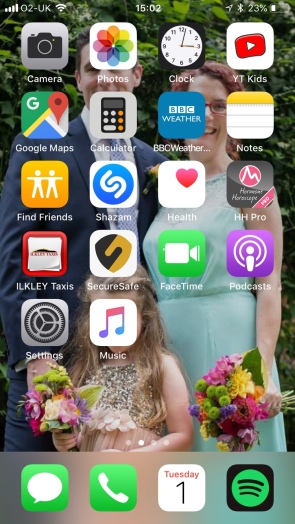
IMG_8525

Yes YouTube Kids is there, but trust me- it’s not me that uses that

Day 10- change where you charge it. Today, I have to change where I charge my phone at night. Most people charge them in their bedroom and sleep with their phone next to them in bed. This means that people end looking at their phone last thing at night (often delaying when they go to sleep) and first thing int he morning, and possibly during the night if they wake up. This is another area where I’m surprisingly quite good. I don’t have my phone near me at night, BUT it is in my bedroom. I charge it right over the other side of the room. However, this does still tempt me to go on my phone when I get up in the morning instead of jumping straight into the shower and this inevitably makes me late to leave the house. Every single day. So, despite not sleeping with it near me, I still need to change where I charge it at night. Therefore, I’ll be charging it downstairs from now on. The only time I’ll have it near me at night, is when my husband is working away. Catherine strongly advises that you buy a non-phone alarm clock to help remove your phone from the bedroom and luckily I had one already.

Day 11- set yourself up for success.  So today, is all about thinking about what I’d like to do instead of being on my phone and setting myself up, so that I actually do those thing I want to do. So for example, if I want to read in the evening instead of faffing on my phone, I should leave my phone in a different part of the house and make sure my book is nearby instead. Pretty simple stuff. So, as reading more is exactly what I want to do more of, I shall be leaving my phone in another room in the evening. I have to say, today was the day I found my old habits starting to creep back. I think this might be that I’m getting used to accessing social media via a web browser, so I think tomorrow’s task might be good timing.

Day 12- download an app blocker. There are clever apps that you can use that restrict or schedule your apps usage (yes I know- an app that stops you from using apps. Get over it). Even though, I feel like I’m starting to spend a bit more time on my phone again, it’s still a lot less time and I don’t think I’m there yet with needing to schedule when I can use apps, BUT I think it’s a really good idea and I might return to this. What I will do is long out of social media on my web browser though.

Day 13- set boundaries. Today is about setting up physical boundaries when it comes to your phone usage. Thankfully, I have already set some of these up, but I do need to ensure I’m consistently using these boundaries. The dinner table is a no phone zone.

  • No phones allowed at the table whilst eating. I’m very good at this when I’m eating as a family, but if I’m by myself I’m on my phone, so I need to make sure I’m setting uptake same boundary when I’m by myself as when I’m with my family.
  • No phones in the bedroom. I had already done this the other day. The only time I can have my phone in the bedroom is when my husband works away.
  • Don’t use my phone for the first hour of the day. As I leave my phone downstairs to charge overnight now, this naturally ensures that I don’t do this.
  • I’d also like to not use my phone after 9pm. I didn’t start doing this today, but I will do over the next few days.

Day 14- stop phubbing. Do you know what phubbing is? It’s short for phone snubbing. It’s when you snub the person you’re with and use your phone instead. I’m very good at not doing this when I’m with friends and extended family, but I am terrible at phubbing both my husband and child. You know, the two most important people in my life. This has to stop now. I need to make myself really conscious of the fact that I’m doing this. Catherine also makes suggestions on how to stop other people phubbing in your company, but I just don’t think I’m brave enough to tell other people to put their phone down when they’re with me. Not yet anyway. I can see it will increasingly annoy me though. So the golden rule with phubbing is that it is not okay to pull your phone out if you’re using it to distance yourself from the people you’re meant to be interacting with. So, maybe you don’t need to check how many likes you’ve got for that photo of your dinner you put on Instagram when you’re meant to be having tea with Aunt Mavis.

So, that’s the end of week 2. Tune in next Monday to see how I get on with week 3. And if you feel like joining in too, comment below on how you’re getting on.
418AH4vaaoL._SX357_BO1,204,203,200_

Just Another Book Club- April Book

Please leave your comments below or within the appropriate post on my Facebook page. Please feel free to peruse other people’s comments and respond to them.

***Please be aware this is a book club discussion, so there is the possibility that my review or the comments left by others will contain spoilers***

Animal

by

Sara Pascoe

9780571325245

Synopsis

Award-winning comedian Sara Pascoe takes us on an entertaining tour of the female body. She investigates why women do the things they do and what it is that biologically drives them. Sara weaves in biographical stories from her own life through out the book to illustrate female behaviour.

My Quick Review

There are some books that I find funny, but don’t actually make me laugh. Then there are books that are funny and make me laugh out loud so much that I cannot be trusted to read them in public. Animal is of the latter definition. I first heard of this book when Sara was a guest on Adam Buxton’s podcast (if you haven’t listened to these podcasts- do. Adam has the the funniest and most interesting guests on). She passionately talked about the book and I thought it sounded fascinating. I wasn’t wrong. Whilst I knew some of the information about the female body, there was plenty that I was not aware of. Even if you are someone that is an expert on the female body and our behaviour, it would still be a captivating and entertaining read.

Sara’s writing is very engaging and her own personal stories whilst always very funny, have a lot of emotion attached them. I found her stories regarding her grandmothers particularly emotive. Then there was Sara’s story of when she first had her period, which is quite frankly one the funniest stories that I have ever read.

On a more serious note, Sara’s book covers lots of sensitive subjects and whilst at times she approaches them with humour, she is also very contemplative about them. She raises important issues such as consent, sex education and abortion. The chapters on consent were quite hard to read and I found at times upsetting. Nevertheless, Sara makes valid and important points and they absolutely need to be discussed. Much like some stand-up comedy, Sara has a way of luring you into her discussion on a subject with humour and then once she’s got your attention she goes on to empathise her opinions with sincerity. Most of which, I vehemently agreed with.

The only vague criticism I would have of the book, is Sara’s occasional assumptions that the reader of the book is much younger than I am. I think she thought only teenagers or people in their 20s would choose to read the book. However, I feel this book is definitely for people of all ages (and decidedly for both men and women). Who doesn’t appreciate a well-written, hilarious, profound and captivating book?


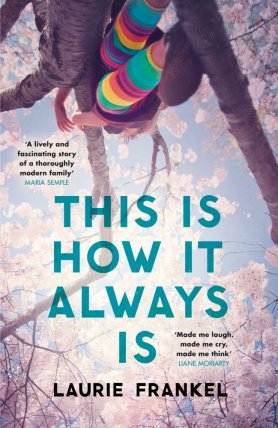
May’s book is This Is How It Always Is by Laurie Frankel. I’ll be starting the conversation for this on Monday 4th June.

A list of all the books we’ll be reading for the first half of 2018 can be found here

I’ve finally sorted out my Goodreads page, so as a few people have asked, you can view it here

How To Break Up With Your Phone- week 1

Gaaahhhhh. Enough, enough, ENOUGH! I am so fed up of myself. So fed up of wasting my time on my phone, caught within a cycle of social media platforms. So fed up of not being productive and frustratingly reading yet another click bait article about how some celebrities look older than -shock horror- they did when they were 30 years younger (who knew people looked older as they got older). I’m also fed up of the neck ache that seems to accompany me most days and I hold my mobile phone use fully responsible for this. I am also becoming painfully aware that I am some kind of role model to my daughter (god help her) and seeing me hunched over my phone most of the time, is not…cool. So I read the wonderful and fascinating Irresistible by Adam Atler (my review of it can be found here). It gives a very insightful look into why us humans get addicted in general and why we are becoming addicted to our phones and the internet. Whilst this book was great and equally terrifying, it still wasn’t enough to stop me from picking up my phone every 5 seconds to check if anyone has “liked” a recent photo that I’ve uploaded or to complete a Buzzfeed quiz to find out which Parks & Recreation character I am (Donna obvs). I needed to be nannied and told exactly how I can break free from my habitual and unnecessary use of my phone.

pexels-photo-267447.jpeg

And along came How To Break Up With Your Phone. Not only did this very simply and succinctly reiterate everything that I learnt in Adam Atler’s book, but the majority of the book is a step by step daily guide of how to -well- break up with my phone. The plan stretches over 4 weeks and at the end of it one will no longer be addicted to one’s phone. Hooray! I love this book as Catherine doesn’t believe in just going cold turkey. She believes you need to understand firstly, why you’re reaching for your phone so often. She also feels that not using your phone at all, ever again just isn’t realistic. There’s nothing wrong with going on social media or indeed doing the odd Buzzfeed quiz, it’s when your phone use is addictive that it becomes problematic. It’s not the phones nor social media that are the issue, it’s how much and how often you use them that is. The scariest part of this book is how our phone use is changing how our brains work and shortening our concentration span. This in turn is changing society as a whole and making us much less empathetic. This is not good. So, for the next 4 weeks, I will be doing the How To Break Up With Your Phone programme and detailing how I get on with the daily tasks. Here is how I got on with the first week.

[By the way, this week’s post is a bit wordy, but I think the following weeks’ posts will be less so. Also, I’ve been completely honest with myself in my answers as I won’t get anywhere if I don’t look at thing truthfully.]

Week One- Technology Triage

Day 1- download a tracking app

So, my first day is fairly easy. I just had to download an app that monitors how much you use your phone every day and how many times you pick it up. I used the Moments app. I had to write down what I predicted these numbers would be. I predicted that I used my phone for 2hrs every day and picked it up around 30 times a day. I have a feeling though these predictions might be waaaaaaay out. Time will tell.

Day 2- Asses your current relationship

Today I just had to answer four questions.

  1. What do you love about your phone?  I love it! I hate it! I love it! I hate it! Ok, so I love the convenience of it. I love being able to research things quickly and buy things swiftly. I love how easy it makes keeping in contact with friends (though I also worry that social media and phones make me less sociable. We don’t keep in contact with friends in the same way as before. We don’t call people up to see how they are as we know or rather think we know how they are via their social media).
  2. What don’t you love about your phone? I hate how it is a gigantic rabbit hole. I pick up my phone to do something quickly and than BAM two hours later I’m still faffing about doing nothing in particular. It is the biggest waste of time and stops me from being productive. I also hate how my phone use sometimes results in me ignoring people rather engaging. There is also the added pressure I feel from my phone to reply to emails/texts/messages/comments. It sometimes feels never-ending and not because I’m so wonderfully popular, but because phones and social media have been designed this way. Then there’s the RSI…
  3. What changes do you notice in yourself  -positive or negative- when you spend a lot of time on your phone? It actually makes me less sociable with the people that I’m with. Ironically, as I’ll be using social media most of the time I’m on my phone. I also feel slightly twitchy and that there’s always something else that I should be checking or doing on my phone (oh my god I AM addicted). I can also get irritable with people around me, if I get engrossed with something on my phone and they have the gall to demand my attention (I’m the actual worst). Since having a smartphone, my concentration span has definitely deteriorated. I find I start doing one thing, then within moments I start thinking about doing another and have to break off to start doing that and so on. I’m far too easily distracted and I never used to be like this. I also find that I don’t make my brain think for itself. Need to remember where I’ve seen that actor before? No need to try and think of the answer myself. I just need to quickly look it up on my phone. My short term memory is now pretty awful. That could be age of course, but I do think my phone use has something to do with it.
  4. Imagine yourself a month from now, at the end of your break-up. What would you like your new relationship with your phone to look like? What would you like to have done or accomplished with your extra time? I would just like to be freer from it, not chained to it. I want to stop wasting time on it doing useless things (I agree that doing this from time to time is perfectly fine). I want to be more in the moment and not engrossed in a screen all the time. I’d like to stop and observe things around me. I want to stop reaching for it all the time and for it to be the first thing I do whenever I get a chance. With my extra time, I would like to read and write more. My daughter has noticed that I use my phone a lot and I would like her to notice that this has changed and that I use my phone a lot less. I would like to be more engaged with her in the mornings and after school too. If I faff less on my phone, then I’ll have more time to do any essential internet tasks. I would like to do these essential things that I need to do on the internet when I’m not with my daughter, so by the time that she sees me on my phone is minimal. Easy peasy, yes?

Day 3- start paying attention

Today, things got slightly more…mindful. I had to observe my phone use over 24hrs. I had to change my lock screen to something that would prompt me to think about how I was using my phone. Catherine suggested I changed it do note saying “Why did you pick me up?”, but then I found that passive aggressive, like my phone was trying to start an argument, so I changed it to “Notice”. These are the things I had to think about:

  1. Situations that you nearly always find yourself using your phone: in queues, when my daughter is watching TV, when my husband is doing the bedtime routine, when I’m waiting for something, after I’ve watched my evening TV programmes before bed, when I first get out of bed, when my daughter is eating her breakfast, during the day when I’m working from home- I am constantly picking it up and putting it back down again, as soon as I get out of the shower. Quite a lot then.
  2. How your posture changes when I use my phone: very slumped. Neck bent over. It’s a very insular pose.
  3. Your emotional state right before you reach your phone: bored, sometimes anxious, restless.
  4. Your emotional state right after you use your phone: bored, sometimes anxious, restless and frustrated with myself.
  5. How and how often my phone grabs my attention (i.e. notifications etc): actually not that often. I’m wise enough to turn ALL notifications off and I rarely get texts. I have to go in to apps to see if I have any messages or comments.
  6. How you feel while you are using your phone as well as how you feel when you don’t have your phone: while I use it I feel frustrated and annoyed quite often (WHY THE FUDGE DO I USE IT SO OFTEN THEN?!). I occasionally feel relaxed if I’m having a funny conversation with a friend. When I don’t have my phone, I feel one of two things. If I’ve recently posted something and I don’t have my phone nearby, I feel twitchy and unable to concentrate. If I haven’t posted anything recently, without my phone I feel chilled.
  7. Moments (either on or off my phone) when I feel engaged, energised, joyful, effective and purposeful- what was I doing and who was I with? I felt energised and purposeful after finishing a piece of work. I was not on my phone and by myself. I felt engaged and joyful when chatting and laughing with my family.
  8. How and when other people use their phones and how does it make you feel? Oh this is when I actually feel dreadful. My husband came home from work and I start telling him about my day and he just gets his phone out and starts reading a text. It made me feel so annoyed. He had put this person that texted him before the person right in front of him that had started talking to him before he received the text. The worst thing is, I do this to him ALL THE TIME. So I must make him feel this annoyed. I told you that I’m the worst. I also really hate seeing people on their phones when out for meals or at bars. What’s the point in making the effort and spending money to go out and socialise with the people you’re with if you’re just going to ignore each other? I am glad to say that this is not something I do. At least, I hope I don’t. Shoot me if I do.

Day 4- take stock and take action

Oh God and today we analyse the data I’ve been collecting since day 1.

The results from the tracking app: Okaaaaay, so bearing in mind I happened to be tracking my usage during the two days I work in an office, where I never use my phone and also it happens to be the Easter holidays, so I’m out and about with my little darling and not using my phone as much as I normally would, my results are….3.5hrs a day usage and I picked my phone up on average at least 60 times a day. So what would my data results have been if it was a normal day working from home with my chid at school?! I dread to think. Needless to say my predictions were way out.

So, after this I tracked my usage when my daughter went back to school and I wasn’t working and I used my phone for 5hrs and picked it up 81 times in one day. FFS.

Notice what you’ve noticed: reflecting on what I noticed when I was using my phone, what patterns did I notice and what surprised me? That using my phone didn’t alleviate boredom. That I used it most when sitting on my couch. That it was a reflex that most of the time I wasn’t even aware of. That it caused more frustration than pleasure.

Day 5- delete social media apps 

So, today is the day that I delete all social media apps. Wtf? Seriously? Ok, so this isn’t an irreversible action, I can still check social media via a browser and Catherine does explain that later on in the programme I will be “reintroduced” to these apps, but for now- they’ve got to go. Okaaaaaay.

Also, Catherine introduces me to the WWW speed bump. Every time I go to use my phone or the internet, I have to ask myself:

  • What for? (why am I using it?)
  • Why now? (why am I using it right at this moment and not later?)
  • What else? (what could I be doing right now instead of using my phone?)

The idea is that if I ask myself these questions every time I reach for my phone, the delay creates an obstacle that slows down the action of reaching for my phone. This gives us the opportunity to change course i.e. decide to do something else. It’s a pause between our impulse and our actions.

So, now I’ve deleted all my social media apps (I deleted Facebook, Twitter and Instagram). Whilst I did find myself just logging in on a browser and checking those platforms, I did fid that there were plenty of times that I reached for my phone and couldn’t be bothered to check social media as it wasn’t quite going to be as quick and simple as normal, so I *gasp* just put my phone back down again. I have to say, jut doing this alone was already making a difference.

Day 6- come back to (real) life

So, now without my social media apps, I need to start thinking about how I’m going to spend this reclaimed time. Catherine suggested some prompts to help me think about this.

I’ve always loved to: walk, write, sing, socialise

I’ve always wanted to: write a book or play

When I was a kid I was fascinated by: music, books and animals (and Shakin’ Stevens, but I don’t think that’s relevant right now)

If I had more time, I would like to: play with my daughter, go for walks, bake, read and write more

Some activities that I know put me into flow are: socialising and getting fresh air.

People I would like to spend more time with: more quality time with daughter, my husband and my friends (and my family, but they love 200 miles, so more difficult to see them frequently).

Next, I need to make a list of several specific fun off-phone things to do over the next few days/rest of the programme: go for a walk, read, play a game with my daughter

Day 7- get physical

Today, unsurprisingly, Catherine asks that we do something physical. Her point being that she wants us to remember we’re not just a brain sitting on top of a body. So, I went for a long walk with my daughter. It was kind of like killing two birds with one stone [NB: no birds were killed whilst completing this programme]. I had some quality time with my daughter and I got some fresh air and exercise. I do have an issue with doing physical things as I suffer from chronic pain, but luckily today my body allowed me to go for a walk and it was lovely. My daughter was also in her element.

So, that’s the end of week 1. Tune in next Monday to see how I get on with week 2. And if you feel like joining in too, comment below on how you’re getting on.

418AH4vaaoL._SX357_BO1,204,203,200_

I strongly recommend you read this book. Now.

***LAST DAY TO GET YOUR VOTE IN*** Just Another Blog From a Woman has been nominated for an award. If you enjoy my blog and you have a spare few seconds, would you mind voting for me HERE It’s very simple and there’s no need to register or provide an email address, just vote for Just Another Blog From a Woman under the Best Pal category. Thank you SO much.

Just Another Book Club- March Book

Please leave your comments below or within the appropriate post on my Facebook page. Please feel free to peruse other people’s comments and respond to them.

***Please be aware this is a book club discussion, so there is the possibility that my review or the comments left by others will contain spoilers***

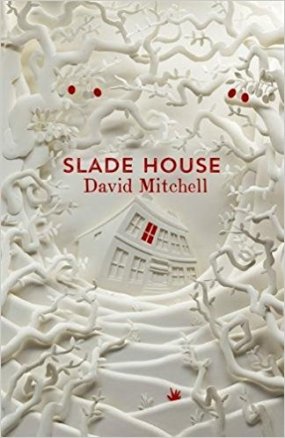
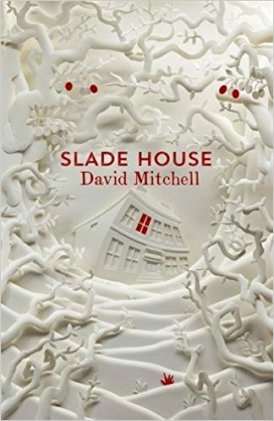
Slade House

by

David Mitchell

51ta3m0XibL._SX322_BO1,204,203,200_

Synopsis

Slade House is set between 1979 and 2015. There are five sections of the book and each section is set in a different time period. The location of each section always remains the same. As you may have already guessed, it is always set at the spooky Slade House. The book details the mysterious circumstances that a variety of characters are drawn towards Slade House.

My Review

I should probably be honest with you and provide a disclaimer that, I am a huge David Mitchell fan. From reading Cloud Atlas to number9dream to the Bone Clocks. I’ve adored everything of his that I’ve read. Slade House is no exception.

Slade House some how manages to be hilarious, thrilling, haunting, historical and clever all at the same time. The first section (The Right Sort) surrounding young Nathan and his mum is particularly witty and had me laughing out loud. A fine example of Mitchell’s humour in this book would be the line: “he was handsome in a sort of gay model Hitler Youth way”. I’m going to remember that line, so that I can refer to someone as that one day (I might be mindful of my audience though).

This book mainly leaves me reeling. Reeling that someone can be so talented and so clever and have such a vivid imagination to write such a book. As I’ve mentioned before, I generally don’t like fantasy books, but for me Mitchell is the right side of fantasy for me.  It’s the backbone of this story, but it doesn’t dominate so much that it is the whole entire book.

Each section has it’s merits, but I particularly enjoyed the first section and the You Dark Horse You section with journalist Sally Timms. That section left me astonished and had me rereading it as soon as I’d finished it.

Most of the time you liked the main character in most of the sections and had a lot of sympathy for them (even before they learn their fate). Detective Gordon Edmonds from the The Shining Armour section, is probably the least likeable character, but you still somehow feel sorry for him. Inevitably, it’s the characters that continue through each section, siblings Norah and Jonah Grayer, that you despise the most and root for their demise throughout the book.

In conclusion, if you’re a fan of David Mitchell (and in particular The Bone Clocks), you will not be disappointed. It is a short read, that will keep you gripped and interested until  it’s harrowing conclusion. Think Stranger Things mixed with a little bit of Black Mirror.

Questions to Consider

1. Slade House is broken up into five parts and is narrated by five different characters, all in the first person. Which of their voices were you most drawn to and why?

2. Despite their differences, the narrators are all “engifted” and therefore targets of the Grayer twins. What do you think “engifted” means? What might qualify someone as “engifted”?

3. Did you notice any recurring patterns in the storytelling across all five parts?

4. With each new “guest” you learn more and more about Slade House and the Grayer twins. What about their abilities and story was most unsettling to you?

5. On page 146, Freya Timms thinks “Grief is an amputation, but hope is incurable hemophilia: you bleed and bleed and bleed.” Do you agree? In what way is this true for characters in the novel?

6. On page 175, Fred Pink counters Freya’s argument for why immortality wouldn’t be kept a secret. What does Fred’s explanation say about human nature? Do you agree?

7. Throughout his life, many people dismiss Fred and his beliefs and research. What might his experiences say about the way society treats those who are labeled as mentally ill?

8. Norah and Jonah’s history is extraordinary, but also marked by loss. Did you ever find them sympathetic? When and why?

9. You don’t learn much about what Norah and Jonah do in–between each nine–year cycle, but we do know that they have a great degree of freedom and many resources at their disposal. Would you be tempted by their nomadic but gifted existence?

10. Were you surprised by Norah’s actions at the end of the novel?

11. What’s the most frightening book you’ve ever read, and what is the most spine–chilling movie you’ve seen? Are there differences between literary fear and cinematic fear?

April’s book is Animal by Sara Pascoe. I’ll be starting the conversation for this on Tuesday 1st May.

A list of all the books we’ll be reading for the first half of 2018 can be found here

I’ve finally sorted out my Goodreads page, so as a few people have asked, you can view it here

Just Another Book Club- February Book

Please leave your comments below or within the appropriate post on my Facebook page. Please feel free to peruse other people’s comments and respond to them.

***Please be aware this is a book club discussion, so there is the possibility that my review or the comments left by others will contain spoilers***

Hold Back the Stars

by

Katie Khan

51F452mNI8L._SY346_

Synopsis

Imagine that you only have 90 minutes of life left and you’re spending that time with the love of your life. Oh and minor detail, you’re floating in space in space suits. Hold Back the Stars is a love story set in an utopian future and sees two lovers deliberating over the ultimate sacrifice.

My Review

This book is an excellent debut from author Katie Khan. The story line is incredibly original and I enjoyed that it was set in the future. I thought it was refreshing that Khan wrote the future as utopian rather than dystopian, but like all societies through history it was not perfect.

I found the technical talk specifically in the first third of the book made me lose my interest at times. It sometimes got a bit too heavy or continued for too long for me personally. So, I would at times find my mind wandering and not realise what I’d just read. However, the book picks up after the initial section and I found myself gripped for the rest of the book.

I thought the non-linear timeline where the book alternated from Carys and Max in space to scenes in the past, but on earth worked really well. It was an excellent way to see how their relationship grew.

Reading about the loss of Carys and Max’s baby was very difficult, but I thought it was sensitively written about. Their reflection on their baby was very moving. I loved this quote about the afterlife:

“The afterlife is what we leave in others”

I also enjoyed their analysis of what utopia truly is, whilst they were floating in space:

“In Greek, Utopia means ‘no place’….a perfect place isn’t a political state or a philosophical movement. It’s this, it’s us”

Hold Back the Stars is a very visual book and it makes sense that the author herself works in the film industry. I found myself imagining the book being turned into a film as I read it and my research tells me that it is indeed going to be film (produced by the same people that produce Stranger Things and Arrival and directed by the director of Riverdale).

Whilst, at first I was slightly confused about how the author was continuing the story in the final section, it eventually made sense. The end scene was incredibly moving and possibly one of the most beautiful and stunning endings for a book that I have ever read.

Often, I don’t like to see the film version of a book that I’ve read, but because of the spectacular visions that you imagine whilst reading this book, I cannot wait to see the film.

This is a very promising debut and I would be very interested to read another novel by the same author.

Questions to Consider

1. In Hold Back the Stars, the author uses dual time lines to tell the story of Max and Carys’s journey to space. In what ways does this enhance the story? Which time line did you feel more connected to?

2. Carys and Max had radically different upbringings from each other. How do their philosophies differ on utopian ideals?

3. In Europia, the individual is prized above all else, yet there is a particular irony in a utopian society valuing individualism. In what ways does Carys see that, and how is Max blinded to it?

4. According to the Couples Rule, romantic couples are not allowed to form until an individual reaches thirty-five. How could this rule benefit our own society? How might it hurt it? How would the rule affect your own life?

5. Max says, “We show our true colors facing the end” (p. 75). Do you agree? Why or why not?

6. As part of a Founding Family, what kind of pressures was Max feeling during his relationship with Carys? Do you think he was justified in feeling the way he did in the beginning?

7. How does the author use details to highlight themes or plot points in each time line? For example, the origin of the crumpled daisy in Carys’s ear does not become evident until after the two time lines converge.

8. Max’s parents essentially excommunicate him after he reveals his relationship with Carys. Can you think of parallel examples in our own society of this kind of familial rejection?

9. Which “ending” seems the most realistic to you? What kind of choice would you have made in the same scenario?

10. How did Carys and Max each cope without the other? What did their coping mechanisms communicate about their personalities?

11. Hold Back the Stars confronts the idea of choice—or lack thereof—and the question of whether true freedom can exist in a utopian society. In what ways were Carys and Max free? How did their concept of freedom change throughout the story?

12. Neither Carys nor Max can live without the other in their respective “endings.” Do you think it’s possible that, for some people, time cannot heal certain wounds?

13. How do you interpret the last chapter of Hold Back the Stars in light of the alternating perspectives of Carys and Max?

14. What were the best examples of strong relationships in Hold Back the Stars? What made them strong? How did Europia foster—or hinder—forming relationships?

15. What do you think it means to do something for the “greater good”? Can a utopian society exist without its citizens striving for a common “greater” cause?

March’s book is Slade House by David Mitchell. I’ll be starting the conversation for this on Tuesday 3rd April.

A list of all the books we’ll be reading for the first half of 2018 can be found here

I’ve finally sorted out my Goodreads page, so as a few people have asked, you can view it here

Just Another Book Club- January Book

Please leave your comments below or within the appropriate post on my Facebook page. Please feel free to peruse other people’s comments and respond to them.

***Please be aware this is a book club discussion, so there is the possibility that my review or the comments left by others will contain spoilers***

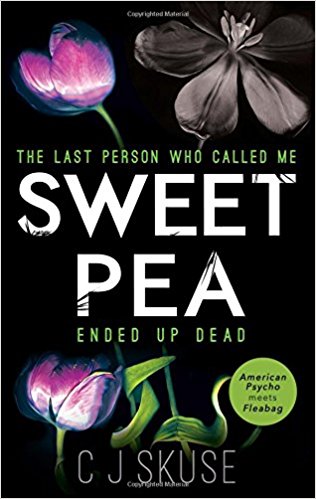
Sweet Pea

by CJ Skuse

51QKj-4IPUL._SX314_BO1,204,203,200_

Synopsis

Incredibly bored and ambitious Rhiannon likes to make daily lists. Don’t we all, except her list are “kill lists”. She writes a list every day of everyone she would personally like to kill and at times she is able to tick off that list. A childhood trauma, left Rhiannon a minor celebrity and it is through this tragedy that we learn how Rhiannon has become the person she is today; a foul-mouthed, deadly and dark young woman.

My Review 

What a lovely way to start our book reading year. I thought I’d throw us into the deep end with this shocking and graphic thriller. As the first chapter opens with the protagonist castrating a man and leaving him to drown, I knew I was on to a beautiful, enchanting start to our reading year.

So firstly, I found this book very easy to read. Yep, even with the shocking content of the book, I still carried on turning the pages and reading with ease (does this say more about me or the author?). It was the epitome of a “page-turner” though.

Red magazine described the book as Bridget Jones meets American Psycho. I think this is a perfect description of the book. While I don’t think I need to elaborate on why it’s similar to American Psycho, the diary-style chapters and the humorous references to weight and self-image certainly gave it an air of Bridget.

However, this is where the book falls down for me. With the author’s use of language, I felt she was trying too hard to be funny and shocking. Let’s be honest, I’m not one to be phased by profanity or crudeness. I wasn’t shocked by her use of these things. It just didn’t entertain me. I was a tad arms-crossed-you-think-that’s-shocking-you-should-hear-me-out-with-the-Mums-from-school-on-a-Friday-night about it. You can relax, we don’t go around castrating men or anything (not that I recall anyway). I think the point I’m trying to make is that, it reminded me of a teenager trying to act tough to impress people. I didn’t buy it.

I can’t decide if it was lack of direction or actually a clever ploy by the author, that my opinion of the protagonist was slightly conflicted. Generally, I couldn’t stand her and at times I thought the author wanted us to actually like her in a twisted way. My conflicted feeling about Rhiannon only came into play when I thought about her traumatic past that goes some way to explain why she does the things she does. It enabled me to feel a sliver of sympathy for her, but not for long as not one of the murders she committed was actually justified. In fact, I think her past actually just provided an understanding of her actions rather than feeling actual sympathy. I do feel the author partly wanted us readers to cheer Rhiannon on from the side line as she castrated a man (albeit an absolute wank stain of a man, who deserved a sharp kick in the balls and to be reported to the police), but there is absolutely no way I found myself warming to Rhiannon at any point.

What I do know is that she clearly wasn’t a well person. Now, I understand that a psychopath (and I’m not using that word flippantly), can function quite normally in the world, with many people not having a clue what they’re really like, BUT I’m still not convinced by the way the author portrayed the contradictions within her personality. The whole “just baked a lovey cake, now I’m just going to grab my knife and slice someone up that gets on me nerves” act was unconvincing. Maybe it’s truthful (I’m bold enough to assume I’m personally not a psychopath, so what do I know about how a psychopath thinks). I just wasn’t convinced with the way the author sold Rhiannon’s personality to us.

ALSO, I’m clearly not convinced by a lot of aspects of this book (man, I really am a cynical misery sometimes), but I wasn’t persuaded by the relationship between Rhiannon and Craig. They were so utterly incompatible, I just didn’t see why they got together in the first place. I understand, that the author wanted to show Rhiannon in an unhappy relationship, but I literally couldn’t fathom what they would have seen in each other at the beginning of the relationship. I think she could’ve been a bit cleverer about this relationship.

Now, you can completely judge me on the next point I’m going to make (if you haven’t already), but thank God she killed AJ off. He was such an irritating character, she did us all a favour there.

The ending was very satisfying for me. I would have been very upset if justice hadn’t prevailed. I also figured that the baby may have gone to AJ’s Aunt (as the next closest relative) to look after, which is actually quite nice after all the grimness of the book.

In conclusion, this is a cynical and bleak book. The attempts to make it witty and the protagonist likeable failed for me. However, I couldn’t stop reading it and it kept me gripped until the end. I prefer a book with more substance, but it was entertaining nonetheless.

February’s book is Hold Back the Stars by Kate Khan. I’ll be starting the conversation for this on Monday 5th March.

A list of all the books we’ll be reading for the first half of 2018 can be found here

I’ve finally sorted out my Goodreads page, so as a few people have asked, you can view it here

Just Another Book Club- December Book

Please leave your comments below or within the appropriate post on my Facebook page. Please feel free to peruse other people’s comments and respond to them.

***Please be aware this is a book club discussion, so there is the possibility that my review or the comments left by others will contain spoilers***

At the end of this post, I’ve listed the 6 books we read in 2017 in my order of preference. I’ve also listed my 3 favourite books that I’ve read this year that weren’t part of the book club.

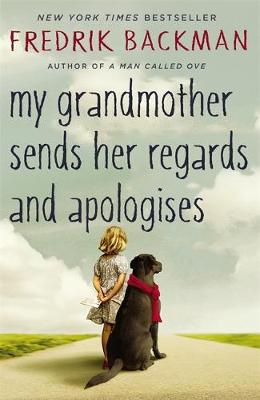
My Grandmother Sends Her Regards and Apologises

by Fredrik Backman

9781444775853

Synopsis

7 year old Elsa is left letters from her grandmother, apologising to all the people in her life she has wronged. This sends Elsa on quite the adventure as Elsa’s grandmother was not your average grandmother. It’s a part-fantasy/part-reality book, where you are are often transported to the imaginative world that Elsa’s grandmother created for her through epic story telling.

My Quick Review

I always say these are going to be quick reviews by me, but they never seems to be. I’m going to try my best this time. So, the first chapter of this book is quite simply one of the most beautiful beginnings to a book that I have ever read. As someone who was very close to her grandmother, it moved me immeasurably, as I imagine it would a lot of people. The author does an excellent job of illustrating the valuable closeness that exists between Elsa and her grandmother and it’s incredibly heart warming.

I like how the author intertwined philosophy throughout the book especially through the stories that the grandmother told Elsa.

As I mentioned above, Elsa’s grandmother is not your usual grandmother. A doctor who saved numerous lives during the war, a woman who never wanted to settle down with one man, a smoker, a terrible driver, a poker player not to mention an excellent story teller. She is by far the best character in it (followed by Britt-Marie), so it is with great shame that she dies so early on in the book. However, I understand why this was necessary and her character still manages to dominate the rest of the book. I loved that the grandmother was Elsa’s hero, but she is not her hero for the obvious acts of heroism in the war (in fact she’s quite cross with her grandmother with regards to that), she is her hero for much smaller reasons that are important to a 7 year old child. One of my favourite scenes with the grandmother is when they were in the headmaster’s office and Elsa’s grandmother ends up throwing a globe at the headmaster’s computer. This was a reaction to the headmaster suggesting that Elsa should take part of the blame for a boy hitting her as she had provoked him and that he had problems controlling himself. “I WAS PROVOKED” Elsa’s grandmother screams at the headmaster as she throws the globe “I COULDN’T CONTROL MYSELF”. Do you see what I mean? She is my hero too.

Moving on to my second favourite character, Britt-Marie. I wonder if she is possibly one of the most tragic characters I’ve read in a book. So desperately lonely and in need of human contact, she purposely loses her husband’s items just so he’ll say her name when he asks her where things have gone. And of her own admittance, she has become a busy-body in her life just so her presence has some effect on people even if it is a negative effect. Otherwise, she would feel like she didn’t exist and would feel an overpowering numbness. It’s so sad and it made me think about people who I know act like Britt-Marie. It made me have sympathy towards them and made me think that in the future I would act differently towards them. A book that makes you look at things differently, is a good book indeed.

However.

Here comes my big but (I said BUT not butt thank you).

A third of the way through the book, my interest started to wane. I’m generally not a fan of fantasy. I’ve tried to get into Neil Gaiman and authors similar to him, but I always struggle. I have little patience for it and the last fantasy book I enjoyed was Alice in Wonderland when I was 9 years old. So, I found myself losing my concentration every time we visited the fantasy world of Elsa and her grandmother. Whilst, I appreciated how lovely it was that her grandmother had created this fantasy world for her and whilst I also appreciated how this fantasy helped Elsa make sense of the world and also helped her deal with issues, it just wasn’t for me. It was the weakest parts of the book and I also think it didn’t quite work in combination with the harsh realities of Elsa’s real world.

Nevertheless, I got back into the book again for the final third of the book.

In general, this book is worth the read. It is beautiful, profound and entertaining and I am not afraid to admit that it made me cry at the end (for those that have read the book I’m referring to the scenes with the Wurse).

Here are a few of my favourite quotes (oh I really didn’t do a good job of doing a quick review, did I?):

“Having a grandmother is like having an army. This is a grandchild’s ultimate privilege: knowing that someone is on your side, always, whatever the details. Even when you are wrong. Especially then, in fact”

“The Noween hates children, because children refuse to accept the Noween’s lie that time is linear. Children know that time is just an emotion, so ‘now’ is a meaningless word to them”

“Because you can be upset while you’re eating chocolate Santas. But it’s much, much, more more difficult”

“We want to be loved. Failing that, admired; failing that, feared; failing that, hated and despised. At all costs we want to stir up some sort of feeling in others. Our soul abhors a vacuum. At all costs it longs for contact”

“And Maud bakes biscuits, because when the darkness is too heavy to bear and too many things have been broken in too many ways to be fixed again, Maud doesn’t know what weapon to use if one can’t use dreams. So that’s what she does. One day at a time. One dream at a time. And one could say it’s right and one could say it’s wrong. And probably both would be right. Because life is both complicated and simple. Which is why there are biscuits”

“Because if a sufficient number of people are different, no one has to be normal”

Questions to consider

1. My Grandmother Send Her Regards and Apologises begins with the pronouncement, “Every seven-year-old deserves a superhero.” (page 1) Do you agree? Why is it so important that children have heroes? Who were your heroes when you were a child?

2. Names play a significant part in Elsa’s grandmother’s stories. How do the various kingdom and heroine names from the Land-of-Almost-Awake (Miamas, Miploris, Mimovas, Wolfheart, the Chosen One, the sea-angel, etc.) inform your understanding of Granny’s stories? Did you agree with how their real world counterparts were portrayed in the stories?

3. Elsa’s mother grew up in a nontraditional family environment. Do you think this influenced her parenting style with Elsa? In what ways?

4. Were you surprised by the ways in which each of the apartment tenants were connected to the others? Which relationship surprised you the most? Why?

5. Granny is a polarizing figure in My Grandmother Send Hers Regards and Apologises. Describe the way each of the characters reacts to her. Do you think their opinions of her are justified? Why or why not? What did you think of Granny? Do you know anyone like her?

6. Discuss the role that books, especially the Harry Potter novels, play in Elsa’s life. Why do you think Elsa relates to the Harry Potter books more than other novels? When you were growing up, were there books you particularly loved? Which ones and why?

7. What did you think of Britt-Marie when you first encountered her? Did she remind you of anyone in your life? Where do you think Britt-Marie goes at the end of the novel?

8. Elsa believes that her “teachers are wrong. [She] has no problems concentrating. She just concentrates on the right things.” (page 47) What kinds of things does Elsa concentrate on? How does this create problems for her? Do you think that Elsa is a good student? Why or why not?

9. Which of the characters in My Grandmother Send Her Regards and Apologises surprised you the most? Why?

10. Discuss Britt-Marie’s marriage to Kent. Did you think they were well suited for each other? Do you think the marriage changed Britt-Marie? How can being in a bad relationship affect someone’s personality?

11. Fairy tales can provide a way to teach children some fundamental truths about the world. How do Granny’s fairy tales help Elsa understand the world around her? What lessons does Elsa take away from the tales her Granny tells her about life in the land of Miamas?

12. When her grandmother dies, Elsa is of course sad, but she also experiences a wide range of other emotions, including anger. Can you name some of the others? Consider how the loss of a loved one can lead us to have feelings that are much more complicated than sadness.

13. In this book, as in his previous novel A Man Called Ove, Fredrik Backman paints a vivid portrait of the relationship between an older person nearing the end of his or her life, and a young child. What can people at the opposite ends of life learn from one another? How are the very old and the very young alike? How are they different? When you were very young, was there an elderly person who played a significant role in your life? What did you learn from them?

(Questions issued by the publisher)

January’s book is Sweatpea by C.J. Skuse. I’ll be starting the conversation for this on Monday 5th February.

A list of the new books we’ll be reading for the first half of 2018 can be found here

My order (by how much I enjoyed them) the 6 books we read in 2017 (click on title for book club discussion):

6. Hotel Alpha by Mark Watson

5. All the Light We Cannot See by Anthony Doerr

4. My Grandmother Sends Her Regards and Apologises by Fredrik Blackman

3. Irresistible by Adam Alter

2. A Million Little Pieces by James Frey

1.Homegoing by Yaa Gyasi

81qLl64WbrL

My 3 favourite books that I read this year (but weren’t part of the book club):

3. My Name is Leon by Kit De Waal

2. Half the Sky: how to change the world by Nicholas D. Kristof & Sheryl WuDunn

1.The Sellout by Paul Beatty

methode-times-prod-web-bin-e999a11e-9b89-11e6-af4a-15a7db50bae8.jpg

My absolute favourite book this year was Homegoing.

See you in February!


Just Another Book Club- 2018 (part I)

Books-IFOA-2016-Tanja-Tiziana

Hooray, a new list of books for you to read! I set this online book club up last year as a way to reconnect people with a love of books and reading. I am as guilty as the next person of picking my phone up far more often than a book. So after enjoying running this online book club during the latter part of 2017, I’ve decided to continue it on into 2018 and I’d absolutely love for you to join me again. So for those of you that are new to my book club or need a reminder of how it works. Here’s a few pointers:

  1. I will provide a list of 6 books, one for each month for the first half of 2018.
  2. I’ll always provide at least one non-fiction book within a list.
  3. At the beginning of the following month, I’ll publish a quick post with my thoughts on the book.
  4. Your lovely selves can then provide your thoughts/opinions within the comments section (or within my Facebook blog page) and a discussion can evolve from there.
  5. Obviously, there’s no obligation. You can read all six, only three or just the one. Whatever suits you best or how much you want to join in.
  6. You can join in the discussion whenever you want, but the closer to the time I published my book review post the better, as you’re more likely to get a response from other readers. I’ll always respond though, so you really are welcome to leave your comment whenever you have finished a book. There are no time constraints.
  7. If this is continues to be a success, I’ll list 6 more books in June for the latter part of 2018.
  8. Drinking wine/gin/tea/coffee isn’t obligatory whilst joining in with the discussion about these books, but it might help.
  9. Any questions, let me know.

Okay, so now for the 6 books for the first half of this year.

  • January: Sweet Pea by C.J. Skuse

51QKj-4IPUL._SX314_BO1,204,203,200_

  • February: Hold Back the Stars by Katie Khan

51F452mNI8L._SY346_

  • March: Slade House by David Mitchell

51ta3m0XibL._SX322_BO1,204,203,200_

  • April: Animal by Sara Pascoe (our non-fiction book selection)

9780571325245

  • May: This is How it Always Is by Laurie Frankel

9781472241580

  • June: Stay With Me by Ayobami Adebayo

31349579

The chosen list of books is final. If you don’t fancy reading a particular book one month, just give it a miss that month. Hopefully, I’ll continue this again for the second half of the year too.

Lastly, I just want to thank the lovely Angela at You Are Awesome blog for providing me with the inspiration to set this up and also for her solid, continued support. Check out her blog post here about book clubs and her blog in general. She’s literally- the best.

So, join me! Together we can put our phones down and pick up a book. Do me a favour first though and please spread the word. It will be fantastic to get people from across the globe coming together to discuss a mutual love- books.

For a list of the books we discussed in 2017, click here.

home-library-21

My dream home library (dog included).

Just Another Book Club- November Book

Please leave your comments below or within the appropriate post on my Facebook page. Please feel free to peruse other people’s comments and respond to them.

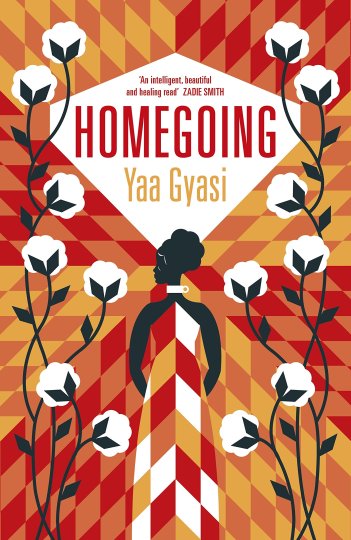
Homegoing

by Yaa Gyasi

81qLl64WbrL

Synopsis

In summary, Homegoing is the sprawling tale of two families split between America and Africa. At the beginning of the book we learn how two sisters are born, but never meet. The book tells the story of each generation that follows from both sides of the family over many years. Through slavery, one family is based in America whilst the other remains in Africa. The title of the book origin’s derive from an old African-American belief that death allowed an enslaved person’s spirit to travel back to Africa.

My Quick Review

First of all, I know one is not meant to judge a book by its cover, BUT I really wanted to mention how gorgeous the cover is for Homegoing and you’ll like this seamless connection: it’s almost as gorgeous as the book itself. Thank you.

But let us move on to more profound thoughts on this book. In short, the enormity of the importance of this book cannot be overstated. It is one of those books that people should be forced to read as it gives the reader a greater understanding of the world and the fabrics of its society (I think there’s a post brewing which lists all the books that I think people should be made to read. One day, I’ll get round to it).

I thought I knew a fair bit about the history of slavery, but after reading this book I realised I knew not nearly enough. Through reading this I learnt so much about African culture too. I absolutely adore books that I can learn from and this book is no exception.

This book at times made me feel ashamed to be British (I’m referring to our disgusting slavery history) and I can imagine the same would be said for an American reading the book. The book so often made me angry and the deplorable injustices that were suffered by slaves and the generations that followed them (my heart will forever break for H and Kojo).

Whilst, this book was consistently shocking and disturbing, the writer somehow managed to write in such a beautiful way. The strength of characters made the reader fall in love with them and root for them (even the flawed characters).

I loved how each chapter represented a different character from a different generation. Referring back to my previous comment, whilst the subject matter of each chapter was often horrific, it also felt like each chapter was telling a different love story. Ultimately, what connects each story to each other is love.

The book sits uneasily with the reader as so many of the issues you read about that existed many years ago, still prevail in America today. It’s abhorrent that one reads and thinks “how has any of this really changed?”. I think the book does a very good (and eloquent) job of illustrating this.

I thought the symbolism of the stone necklace was perfect. For me, I felt like it represented African history. When an African was taken from Africa and enslaved and shipped off to America, it was as if their African history was erased. The African-American person’s history then starts with slavery in America, but this of course not the start of their history. When Marjorie hands Marcus the stone necklace, it is like she is handing back his rightful history that was so cruelly taken from him and his ancestors. It is a beautiful and extremely emotional moment.

It was interesting that Marjorie and her side of the family seemed to represent fire and that Marcus’s represented water. When Marjorie and Marcus meet and connect, they persuade each other to embrace the element that they each fear. In this sense, Marjorie and Marcus complete each other.

This book is a fantastic achievement for a debut author. It is truly wonderful and so far (though we only have one book left on the list), this is my favourite book that we have read.

I loved so many quotes in this book. I made a list for you.

The need to call this thing “good” and this thing “bad”, this thing “white” and this thing “black”, was an impulse that Effia did not understand. In her village, everything was everything. Everything bore the weight of everything else.

Slavery aint’ nothin’ but a dot in your eye, huh? If nobody tell you, I’ma tell you. War may be over but it ain’t ended. 

He was not the con they had told him he was.

This is the problem of history. We cannot know that which we were not there to see and hear and experience for ourselves. We must rely upon the words of others….(for example) Kojo says that when the warriors came to his village the coats were red, but Kwame says that they were blue. Whose story do we believe, then? We believe the one who has the power. He is the one who gets to write the story. So when you study history, you must always ask yourself , Whose story am I missing? Whose voice was suppressed, so that this voice could come forth?

The news made it sound like the fault lay with the blacks of Harlem. The violent, the crazy, the monstrous black people who had the gall to demand that their children not be gunned down in the streets. 

The Ruin of a Nation Begins in the Homes of Its People

21939985._SX540_

Cape Coast Castle, Ghana

Questions to Consider

1. Evaluate the title of the book. Why do you think that the author chose the word Homegoing? What is a homegoing and where does it appear in the novel? In addition to the term’s literal meaning, discuss what symbolic meanings or associations the title might have in terms of a connection with our place of birth, our ancestors, our heritage, and our personal and cultural histories.

2. Explore the theme of belief. What forms of belief are depicted in the book and what purpose do these beliefs seem to serve for the characters? Does the author reveal what has shaped the characters’ beliefs? Do these beliefs seem to have a mostly positive or negative impact on the believer and those around them?

3. What perspective does the book offer on the subject of beliefs and otherness? For instance, does the book delineate between superstition and belief? Why does Ma Aku reprimand Jo after he is kicked out of church? What do the Missionary and the fetish man contribute to a dialogue on beliefs and otherness? Does the book ultimately suggest the best way to confront beliefs that are foreign to us?

4. Evaluate the treatment and role of women in the novel. What role does marriage play within the cultures represented in the novel and how are the women treated as a result? Likewise, what significance does fertility and motherhood have for the women and how does it influence their treatment? In the chapter entitled “Effia,” what does Adwoa tell Effia that her coupling with James is really about? In its depiction of the collective experiences of the female characters, what does the book seem to reveal about womanhood? How different would you say the treatment and role of women is today? Discuss.

5. Analyze the structure of the book. Why do you think the author assigned a chapter to each of the major characters? What points of view are represented therein? Does any single point of view seem to stand out among the rest or do you believe that the author presented a balanced point of view? Explain. Although each chapter is distinct, what do the stories have in common when considered collectively? How might your interpretation of the book differ if the author had chosen to tell the story from a single point of view?

6. Consider the setting of the book. What time periods are represented and what places are adopted as settings? Why do you think that the author chose these particular settings? What subjects and themes are illuminated via these particular choices? How does the extensive scope of the book help to unify these themes and create a cohesive treatment of the subjects therein?

7. In the chapter entitled “Quey,” Fiifi tells Quey that “[the] village must conduct its business like [the] female bird” (53). What does he mean by this and why do you think that Fiifi chooses this approach?

8. Why was Quey sent to England? After his return home, why does Quey say that it was safer in England? Why might he feel that what he faces at home is more difficult than the challenges he faced in leaving home and living abroad?

9. James’s mother, Nana Yaa, says that the Gold Coast is like a pot of groundnut soup (89). What does she mean by this?

10. Why does Akosua Mensah insist to James, “I will be my own nation” (99)? What role do patriotism, heritage, and tradition play in contributing to the injustices, prejudices, and violence depicted in the book? Which other characters seem to share Akosua’s point of view?

11. Explore the theme of complicity. What are some examples of complicity found in the novel? Who is complicit in the slave trade? Where do most of the slaves come from and who trades them? Who does Abena’s father say is ultimately responsible (142)? Do you agree with him? Explain why or why not.

12. Examine the relationships between parents and children in the book. How would you characterize these relationships? Do the children seem to understand their parents and have good relationships with them and vice versa? Do the characters’ views of their parents change or evolve as they grow up? How do the characters’ relationships with their parents influence the way that they raise their own children?

13. What significance does naming have in the book? Why do some of the characters have to change or give up their names? Likewise, what do the characters’ nicknames reveal both about them and about those who give or repeat these names? What does this dialogue ultimately suggest about the power of language and naming?

14. Explore the motif of storytelling. Who are the storytellers in the book and what kinds of stories do they tell? Who is their audience? What might these examples suggest about the purpose and significance of a storytelling tradition?

15. According to Akua, where does evil begin? Where else in the book do readers find examples that support her view? What impact does Akua’s opinion have on Yaw’s lifework? Does he agree with Akua’s view or refute it? Do you agree with her? Discuss.

16. What is history according to Yaw? What does he tell his students is “the problem of history” (226)? Who does Yaw say we believe when reading historical texts and what does he say is the question we must ask when studying history? How might these ideas influence your own reading of Gyasi’s book and reshape your ideas about the historical subjects and themes treated therein?

17. Sonny says that the problem in America “wasn’t segregation but the fact that you could not, in fact, segregate” (244)? What does he mean by this? What does Sonny say that he is forced to feel because of segregation? Which of the other characters experience these same feelings and hardships? Does there seem to be any progress as the story goes on? If so, how is progress achieved? Alternatively, what stymies and slows progress in this area?

18. What is Marcus studying and why isn’t his research going well? What feeling does he indicate that he hopes to capture with his project? Why does Marcus go to Ghana and what does he learn from his experiences there? Marcus believes that “most people lived their lives on upper levels, not stopping to peer underneath (298). What does he mean by this? Where do we find examples of this elsewhere in the book? Are there any characters in the novel who defy this characterization?

19. Consider the book’s treatment of colonialism and imperialism. In the chapter entitled “Esi” at the start of the book, what does Esi’s mother tell her daughter that weakness and strength really are? How does her definition of weakness and strength correspond to the dialogue about colonialism and imperialism that runs throughout the book? Discuss how this dialogue expands into a deeper conversation about freedom and human rights. Have the issues surrounding colonialism, imperialism, freedom, and human rights featured in the book been resolved today or do they linger? If they remain, does the book ultimately offer any suggestions or advice as to how this might be remedied?

(Questions issued by the publisher.)

December’s book is My Grandmother Sends Her Regards and Apologises by Fredrik Backman. I’ll be starting the conversation for this on Wednesday 3rd January.

A list of new books for the first six months of 2018 will be published NEXT MONDAY 11th DECEMBER.


Just Another Book Club- October Book

Please leave your comments below or within the appropriate post on my Facebook page. Please feel free to peruse other people’s comments and respond to them.

A Million Little Pieces

by James Frey

51qh4Es5nmL._SX323_BO1,204,203,200_

Synopsis

First of all, it is worth noting that at first this book was marketed as a memoir. However, it came to light that it was in fact a piece of semi-fiction based heavily on James Frey’s experiences as a drug addict and his time in rehabilitation. Therefore, it cannot be looked upon as a non-fiction memoir. The book starts with James waking up on a plane badly beaten up and severely recovering from his latest drugs and drink binge. He is swiftly taken to rehab and the book documents his recovery there.

My Quick Review

If you think this memoir reads like a novel, that’s because essentially it is a novel. At first, when I was reading it, I kept on finding it unbelievable that it is was all real. Then I found that so much of it wasn’t. However, this should not deter one from appreciating this book and the fact that it is a fine piece of writing.

First of all, it is one of those page turning gems. At over 500 pages long, it look me only a week to read it. It definitely had that “unputdownable” quality about it.

One of the first things that strikes you about this book is the writing style of James Frey. There are no indented spaces for paragraphs and his sentence structure is unconventional to say the least. I feel the book was all the better for it. Personally, I thought this symbolised the jumbled, disorganised thoughts and scrambled brain of James the recovering addict. Speech is not indicated by the usual speech marks and sometimes you had to really stay on the ball to realise which character was saying what. This was something that I did not mind and seemed to get used to very quickly.

However, writing style aside this was not an easy book to read. The scene where James determinedly pulls one of his toe nails out purely for some kind of release from mental anguish, will haunt me forever. I could barely read that scene and had to keep on breaking off from it. I only just made it through by reading it with one eye closed (no, I don’t know the logic behind that either). I think I even retched at one point. This however does show the power of James Frey’s writing. That is only one scene that I found hard to stomach. I haven’t even mentioned the dental surgery performed without any anaesthetic, the scene when James finds Lily in the crack house and the many, MANY scenes of him vomiting.

One thing, that kept on puzzling me, was why did Frey capitalise certain words that wouldn’t normally be capitalised. They would always be nouns such as “Room”, “House” and “Road”. I couldn’t decide if it was to emphasise his detachment from the real world (as opposed to his usual heavily “medicated” state) or a way of mocking the whole rehabilitation process OR was it a way to provide more meaning to the words, more significance and weight to them? I’d be really interested to hear your thoughts on this.

For me, the only negative aspect of this book were the scenes between James and Lily. I always found myself rolling my eyes every time they met up. I found the scenes unrealistic and overly sentimental, almost cheesy. I felt like the book as a whole was better than that. I can see why James Frey introduced a love interest to the story (and of course it may actually have had happened in real life, we’re never sure which parts of the book are fact and which are fiction), but I wish it had been told in a more believable way.

James as a character or a semi-character is deeply flawed (obviously), but does this make him an anti-hero? My first thought is that it does’t. How can someone who has lived his life the way he has be called any kind of hero. However, he does quite miraculously start to rebuild a relationship with his parents, help Lily and other friends he made in rehab and best of all rehabilitate himself. These are commendable feats, but I’m still uneasy with referring to him in a heroic way.

I do also question the rebuilding of his relationship with his parents. He seemed to quite quickly and easily see the faults in their relationship and the things he had done wrong. He then very gracefully communicated this to his parents. Whilst I appreciate someone can become enlightened and broken relationships can be mended, I’m not convinced by the ease that James did this with.

Overall and despite a handful of faults, I thoroughly enjoyed this book. It was my favourite on the list so far, until…I read the next book on the list. More on that next month.

So, let me know what you think of A Million Little Pieces. I think this is great book for a book club discussion.

Questions to Consider

1. A Million Little Pieces presents some unusual formal innovations: Instead of using quotation marks, each piece of dialogue is set off on its own line with only occasional authorial indications of who is speaking; paragraphs are not indented; sentences sometimes run together without punctuation; and many passages read more like poetry than prose. How do these innovations affect the pace of the writing? How do they contribute to the book’s rawness and immediacy? How is James Frey’s unconventional style appropriate for this story?

2. How does Frey create suspense and sustain narrative tension throughout? What major questions are raised and left unresolved until the end of the book? Is this way of writing about addiction more powerful than an objective study might be?

3. Why does the Tao Te Ching speak to James so powerfully? Why does he connect with it whereas the Bible and Twelve Steps literature leave him cold? How is this little book of ancient Chinese wisdom relevant to the issues an addict must face?

4. James is frequently torn between wanting to look into his own eyes to see himself completely and being afraid of what he might find: “I want to look beneath the surface of the pale green and see what’s inside of me, what’s within me, what I’m hiding. I start to look up but I turn away. I try to force myself but I can’t” [p. 32]. Why can’t James look himself in the eye? Why is it important that he do so? What finally enables him to see himself?

5. When his brother Bob tells James he has to get better, James replies, “I don’t know what happened or how I ever ended up like this, but I did, and I’ve got some huge fucking problems and I don’t know if they’re fixable. I don’t know if I’m fixable” [p. 131]. Does the book ever fully reveal the causes of James’s addictions? How and why do you think he ended up “like this”?

6. Why are James and Lilly so drawn to each other? In what way is their openness with each other significant for their recovery?

7. Joanne calls James the most stubborn person she has ever met. At what moments in the book does that stubbornness reveal itself most strongly? How does being stubborn help James? How does it hurt or hinder him?

8. The counselors at the clinic insist that the Twelve Steps program is the only way addicts can stay sober. What are James’s reasons for rejecting it? Are they reasons that might be applicable to others or are they only relevant to James’s own personality and circumstances? Is he right in thinking that a lifetime of “sitting in Church basements listening to People whine and bitch and complain” is nothing more than “the replacement of one addiction with another” [p. 223]?

9. What are the sources of James’s rage and self-hatred? How do these feelings affect his addictions? How does James use physical pain as an outlet for his fury?

10. How is Frey able to make the life of an addict so viscerally and vividly real? Which passages in the book most powerfully evoke what it’s like to be an addict? Why is it important, for the overall impact of the book, that Frey accurately convey these feelings?

11. When Miles asks James for something that might help him, James thinks it’s funny that a Federal Judge is asking him for advice, to which Miles replies: “We are all the same in here. Judge or Criminal, Bourbon Drinker or Crackhead” [p. 271]. How does being a recovering addict in the clinic negate social and moral differences? In what emotional and practical ways are the friendships James develops, especially with Miles and Leonard, crucial to his recovery?

12. James refuses to see himself as a victim; or to blame his parents, his genes, his environment, or even the severe physical and emotional pain he suffered as a child from untreated ear infections for his addictions and destructive behavior. He blames only himself for what has happened in his life. What cultural currents does this position swim against? How does taking full responsibility for his actions help James? How might finding someone else to blame have held him back?

13. Bret Easton Ellis, in describing A Million Little Pieces, commented, “Beneath the brutality of James Frey’s painful process, there are simple gestures of kindness that will reduce even the most jaded to tears.” What are some of those moments of kindness and compassion and genuine human connection that make the book so moving? Why do these moments have such emotional power?

14. In what ways does A Million Little Pieces illuminate the problem of alcohol and drug addiction in the United States today? What does Frey’s intensely personal voice add to the national debate about this issue?
You don’t have to answer these questions in your comments, but they might help to get you thinking about the book or to prompt a discourse. 

(Questions issued by the publisher.)

November’s book is Homegoing by Yaa Gyasi. I’ll be starting the conversation for this on Monday 4th December.

For a list of all the other books we’ll be reading this year, please click here.